Draft a social post with Claude
Ask Claude to write a post and save it as a draft in your Social Studio Calendar. Nothing is published until you press Schedule & publish. Free.
What you'll make
A ready-to-review post, written by Claude and saved as a draft in your Social Studio Calendar for the time you choose. Drafting is free and nothing goes out until you press Schedule & publish.
First time? Connect Filem to Claude: Connect Filem to Claude.
You also need a publishing account (Blotato or Zernio) connected, and your channels turned on, in Social Studio → Settings.
1. See your channels
Which social channels do I have connected on Filem?
Claude lists the channels that are turned on. Only active channels can be drafted to.
2. Ask for the post
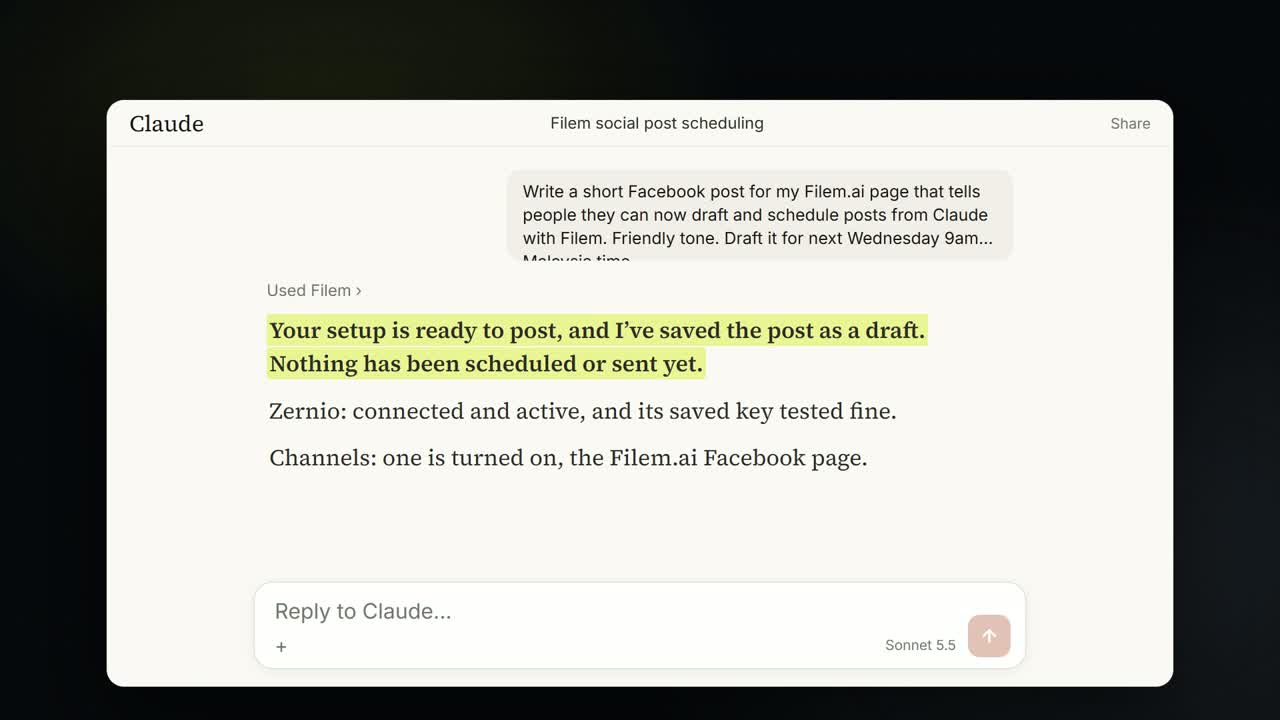
Write a short Facebook post that announces our new tutorials page, friendly tone, and draft it for tomorrow 9am Malaysia time.
Claude writes the caption and saves it as a draft. It asks you to Allow once; the draft is free.
3. Review and publish
Open Social Studio → Calendar. The draft is on the day you chose, marked Draft. Check it, then press Schedule & publish when you are happy.
Everything Claude makes is saved in your MCP history.